How to Use an AI Music Generator: Prompts & Examples
6 min read

Your video is cut. Now you need music. Half an hour in a stock library later, every track is almost right. You can hear what you want in your head, but you don't play an instrument, and you've never produced a song.
An AI music generator turns one line of text into an original piece of music. In Muse Forge, describe the genre, instruments and mood, pick a length, and you'll hear the result in about 30 seconds to 2 minutes. Free to try.
This guide walks you through your first track in three steps, then shows how to write prompts that get closer to the sound in your head.
What can Muse Forge Music Generation do?
You write a description; it composes a brand-new track. No instruments, no music theory, no audio file to start from.
Item | Details |
|---|---|
Input | One line of text, plus up to 3 optional style tags |
Track length | 60 / 120 / 180 seconds |
Per run | 1, 2 or 4 versions, in tabs to compare |
Wait | About 30 seconds to 2 minutes |
Download | MP3; WAV from Starter up |
Quota used | Track length × number of tracks, shown before you generate |
Commercial use | Commercial license from Starter up |
There are 10 style tags: Pop, Electronic, R&B, Classical, Jazz, Ambient, Lo-Fi, Cinematic, Rock and Hip-Hop. The tags you pick go to the AI along with your description.
Make your first track in three steps
Step 1: Describe the music
Open Music Generation and type what you want into the Prompt box. Stuck? Click one of the examples below it — "Upbeat lo-fi jazz with soft piano" or "Ambient electronic with rain sounds" — and it fills in for you.
Step 2: Pick tracks and length
Under Tracks, choose 1, 2 or 4. Under Track length, choose 60, 120 or 180 seconds. The line below updates as you go and tells you what this run costs — 2 tracks × 60s = 120 seconds, for example.
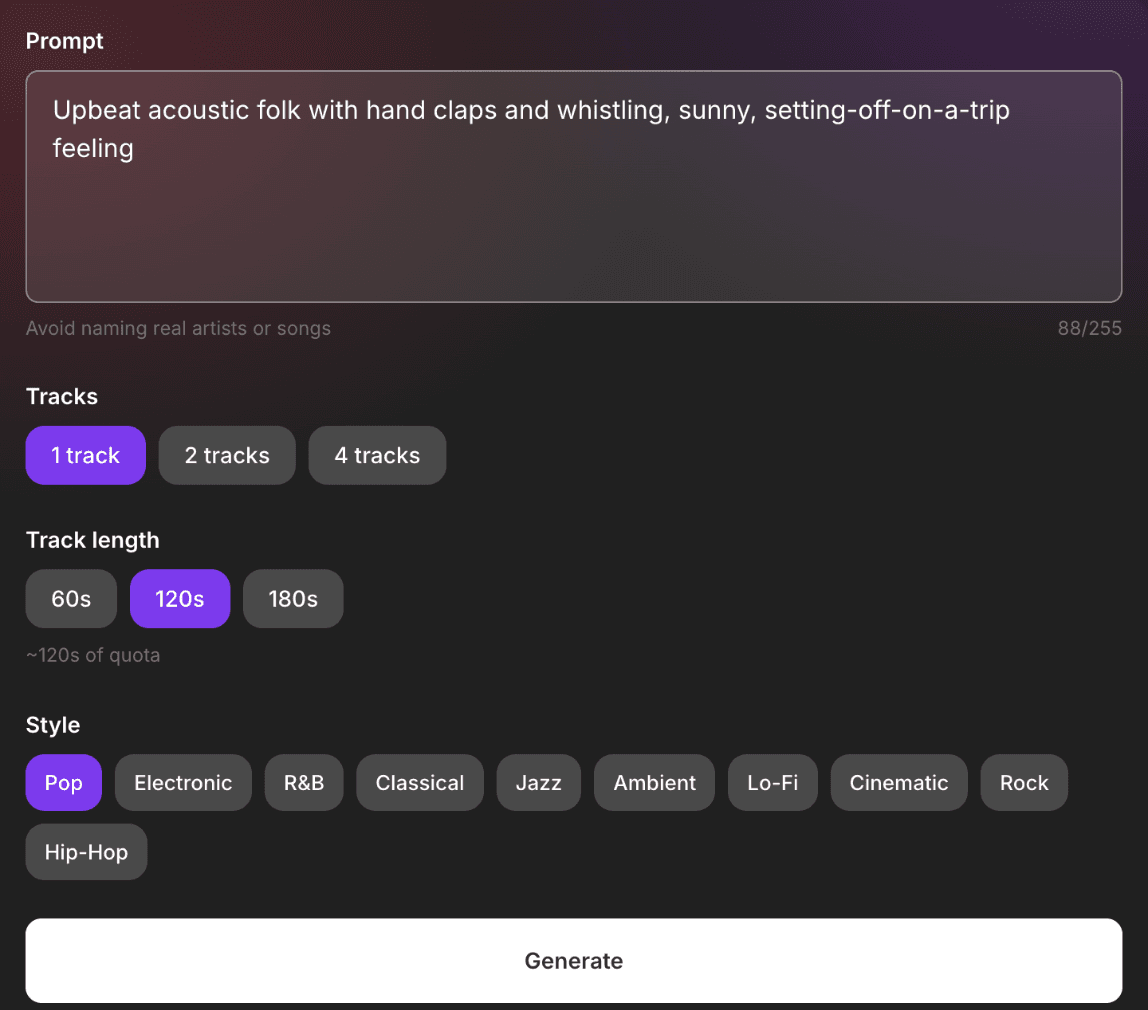
Step 3: Generate, listen, download
Press Generate and give it 30 seconds to 2 minutes. With more than one track, results land in Version A, B, C and D tabs. Flip between them and keep the one that fits. Download it, or share a link — whoever opens it can listen without signing in.
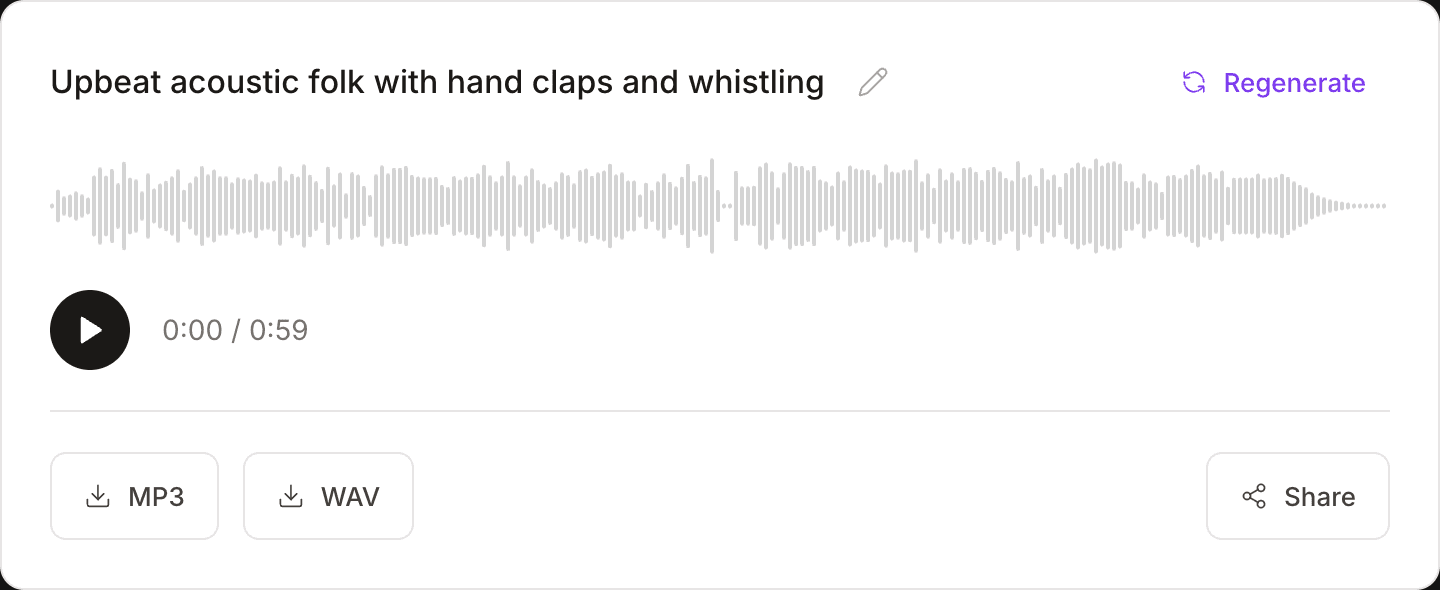
Not quite right? Change a couple of words and run it again. Every run is a new track.
How to write a good prompt: four ingredients
The AI can't read your mind. The more specific you are, the closer you get. A strong prompt usually covers:
- Genre: lo-fi, folk, electronic, orchestral, jazz, rock…
- Instruments: piano, acoustic guitar, strings, synths, drums…
- Mood or scene: relaxed, energetic, nostalgic, good for studying, like the end of a film…
- Tempo or shape: slow, mid-tempo, building layer by layer, exploding at the end…
You don't need all four, but two or three make a clear difference:
- ❌ "Nice music" — the AI has to guess
- ✅ "Slow lo-fi beat, warm electric piano, relaxed, good for studying" — genre, instrument and mood, all there
Want an instrumental? Say "instrumental, no vocals." Want a voice? Say "with smooth vocals."
6 prompts you can copy
Use | Prompt |
|---|---|
Travel vlog | Upbeat acoustic folk with hand claps and whistling, sunny, setting-off-on-a-trip feeling, mid-tempo |
Study / work BGM | Slow lo-fi hip-hop beat, warm electric piano and vinyl crackle, relaxed and focused, instrumental |
Game / trailer | Epic cinematic score, strings and brass building layer by layer, driving drums, bursting at the climax |
Memories montage | Gentle piano and strings, slow, nostalgic and moving, like a flashback at the end of a film |
Podcast / stream intro | Crisp electronic pop, synth arpeggios and punchy drums, confident and modern |
With vocals | Chill R&B with smooth vocals, electric piano and soft drums, late-night feel |
Paste one as is, or swap a word or two to make it yours.
Prompt rejected? You probably used a name
Prompts that name a real artist, band, song, brand, film or show are blocked. "Something like [artist]'s hit" won't go through.
The fix: break the name down into ingredients. What era is it? What genre? Which instruments? What does it feel like? Instead of "a ballad like [artist]," try "early-2000s pop ballad, piano and strings, tender and a little bittersweet." It goes through — and what comes back is a track of your own.
A prompt that is only a link won't work either. The AI needs your description of the music.
Which length and how many versions?
Each run costs track length × number of tracks. The thrifty way is short first, long later:
- Test the direction with 1 track × 60 seconds. Check the genre, instruments and mood.
- Once it's right, go longer or ask for more versions. Run the same prompt at 180 seconds, or generate 4 versions to pick from.
One thing to know: the long version is a new track, not the short one extended. The style stays close; the melody will be different.
The free plan gives you 150 seconds a month — about two or three tries at 60 seconds each. Free accounts can generate up to 2 tracks and 180 seconds in total per run. Four versions at once, or 2 tracks at 120 seconds or more, show a lock icon and need the Starter plan.
What can you do with the track next?
Download it and drop it into another Muse Forge tool — same account, no extra sign-up:
- Pull it apart: run it through stem separation to get vocals, drums, bass and other on separate tracks. Handy when you only want the beat under a scene, or need to drop an instrument.
- Play along on guitar: run it through chord recognition to get the full chord progression with guitar and ukulele chord diagrams.
- Turn it into piano sheet music: run it through PopPianoAI for a playable piano arrangement — completely free.
On the go? The Muse Forge app has Music Generation too, so you can sketch an idea the moment it hits (tracks are 60 seconds in the app; use the web version for 120 or 180).
FAQ
How long does AI music generation take?
Usually 30 seconds to 2 minutes. Longer tracks and more versions take longer. You can leave the page while it works; the finished piece shows up in your History.
How much can I generate for free?
The free plan includes 150 seconds a month, shared with stem separation and chord recognition. Each generation costs track length × number of tracks. A free account can generate up to 2 tracks and 180 seconds in total per run; trying ideas with 60-second tracks gives you about two or three tries. Generating 4 versions at once, or 2 tracks of 120 seconds or longer, needs the Starter plan.
Can I use AI-generated music commercially?
Yes, on a paid plan. Starter (NT$79/month) and Creator (NT$199/month) both include a commercial license. The free plan is for personal, non-commercial use only.
Can I give it lyrics and have the AI sing them?
Not at the moment. There is no lyrics field: the prompt describes the music, and lyrics you type into it are not guaranteed to be sung word for word. It is strongest at background music and instrumentals. If you want vocals, describe them, for example "with smooth vocals".
Why was my prompt rejected?
Most often because it names a real artist, band, song, brand, film or show. A prompt that is only a link, with no description, can't be generated either. Describe the era, genre, instruments and mood instead, and it will go through.
What format do I get?
MP3 on the free plan. Starter and above can also download WAV, which drops straight into video editors and DAWs.
The tune in your head is one sentence away
No instrument. No production skills. Write one line, pick a length, and hear it in under two minutes.
New to Muse Forge? Read the full introduction.