Muse Forge, in your pocket
The same AI music studio, now on your phone.
Upload a track and pull it apart into separate stems, read out the chord chart, turn it into piano sheet music you can actually follow — or generate a new track from a written prompt. In the rehearsal room, at the piano, on the way there.

Free to download, with optional subscriptions. iPhone and iPad need iOS 15.1 or later.
What you can do in the app
Stem Separation
Split a song into vocals, drums, bass and other tracks. Play each stem on its own, mute what you don't need, and download the ones you want.
Chord Recognition
Get the full chord progression along with the detected key and tempo. Follow a synced chart while the song plays, transpose to any key, and read guitar and ukulele fingerings.
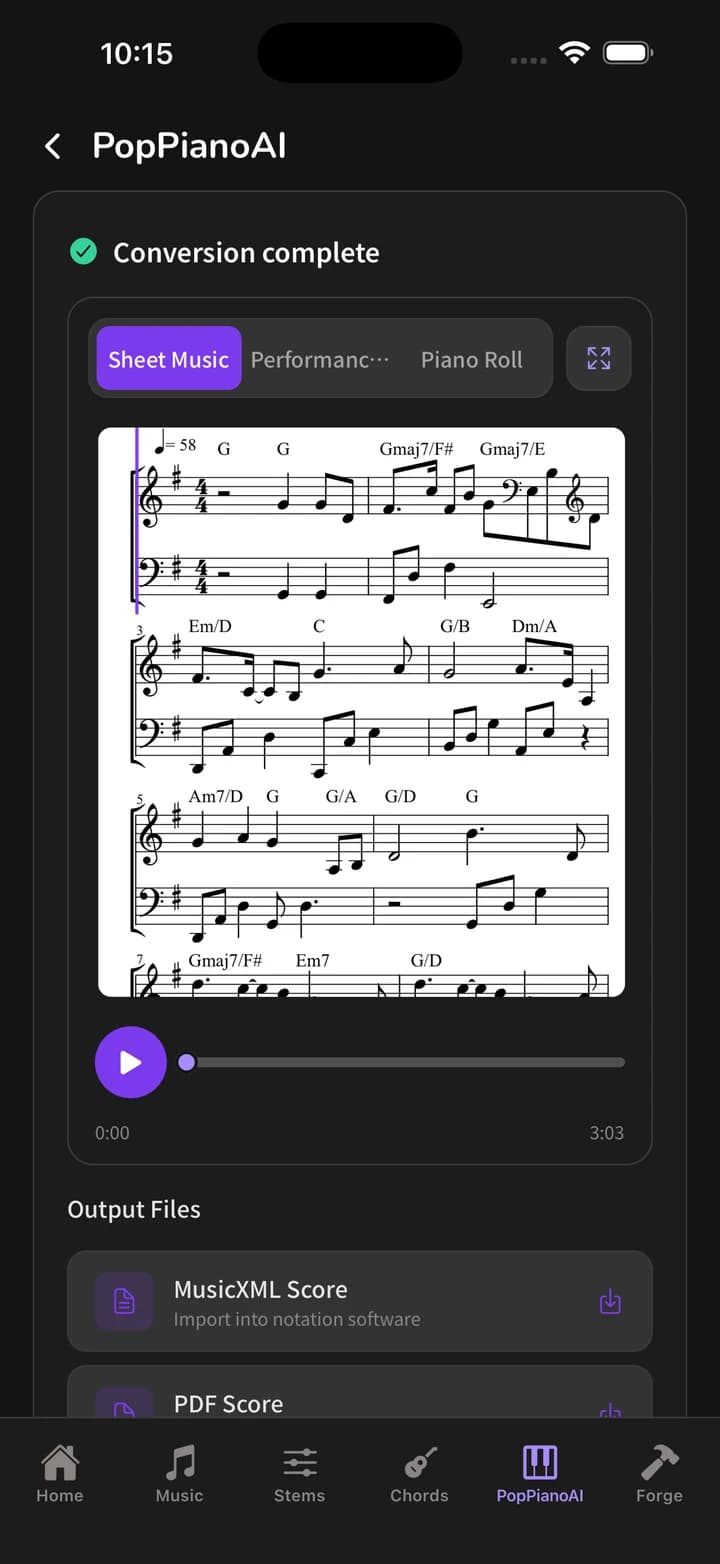
PopPianoAI
Turn a song into a piano arrangement and read it as sheet music, or export it as PDF, MIDI or MusicXML to keep working in your notation software.
Music Generation
Describe the mood, style or instrumentation you want and get an original track back, usually in 30 seconds to 2 minutes. No upload needed.
Forge
One upload, the whole pipeline. Pick a template — strip the vocals from a song and turn the accompaniment into a piano score — and get a finished result in one step.
Frequently asked questions
Does the app cost anything?
It is free to download and comes with a monthly allowance of processing time. The Starter and Creator plans add more processing seconds each month as an in-app purchase. Piano transcription is free and uses none of the allowance.
How is the app different from the web version?
The five tools are the same: stem separation, chord recognition, PopPianoAI, music generation and Forge. The difference is how you reach them — the app opens straight into the product instead of you finding the site in a browser each time.
Which audio files are supported?
MP3, WAV, FLAC, OGG, AAC, M4A, MP4, OPUS and WebM, up to 100 MB per file.
What do I need to run it?
iPhone and iPad need iOS 15.1 or later. For Android requirements, see the Google Play listing.
Do web and app subscriptions work together?
Yes. Sign in with the same account and your plan and renewal date stay in sync across platforms — it is one shared pool of processing seconds, with nothing to pay twice.
Why are the in-app prices different from the website?
In-app purchases are billed by Apple and Google, so those prices include the stores’ platform and payment fees. Subscribing on the website skips that fee and is usually cheaper. Actual prices vary by region and exchange rate.
How do I cancel my subscription?
Cancel wherever you subscribed: on the web, in the subscription page of the DeepWave member center; on iPhone and iPad, in Settings → Apple ID → Subscriptions; on Android, under Subscriptions in Google Play. You keep access until the end of the period you have already paid for.
Not ready to install? The web version works too
Try it in the browserPopPianoAI runs free in the browser, with nothing to install.