Chord Recognition: AI Detects Guitar & Ukulele Chords
6 min read
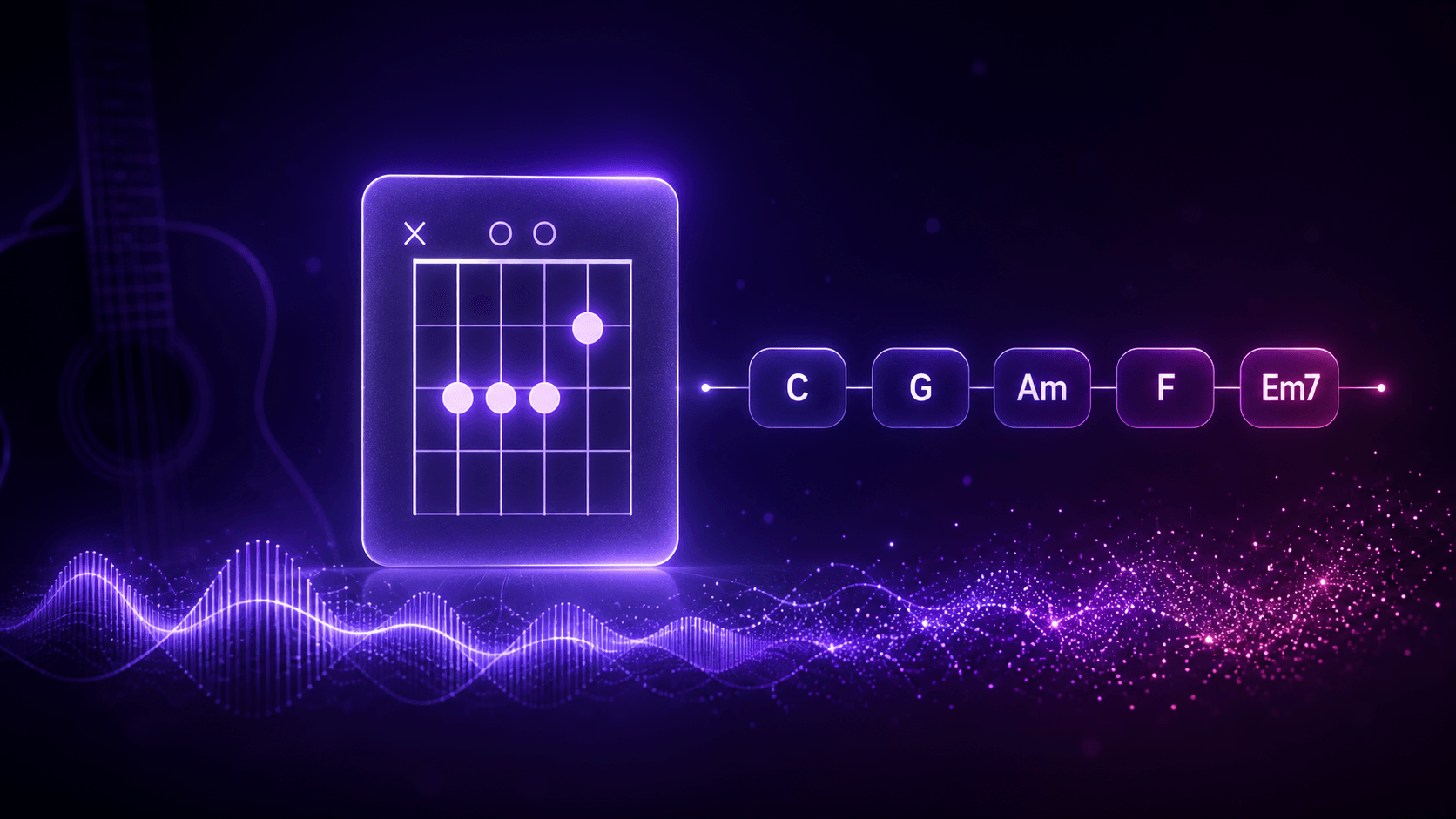
Want to play a song you love, but every chord chart online says something different — so which one is right? Picking out the chords yourself by ear is slow, and you're never quite sure you got them right.
That's exactly why we built Chord Recognition. Muse Forge's newest feature, Chord Recognition, uses AI to detect the chords across a whole song from start to finish. Upload a track or paste a link, and in 1 to 2 minutes you get the full chord progression plus guitar and ukulele fingerings that follow along with the music. Know the chord's name but not how to press it? Just match the shapes and change chords with the song.
What is Chord Recognition?
Chord Recognition uses AI to figure out the chords in a song automatically and lay them out as a complete progression. Muse Forge doesn't just give you chord names — it adds a guitar and ukulele fingering diagram for every chord and switches them in real time as the song plays. Finding the chart, working out the chords, and looking up the shapes all happen in one step.
Why use Chord Recognition?
Chord charts online aren't always right. For the same song, different sites can list chords that contradict each other; for a deeper cut or a brand-new release, there may be no chart at all. Working them out by ear takes some music theory and a lot of patience rewinding.
Chord Recognition skips that whole bottleneck: the song itself is the source, and the AI hears the chords straight from the original recording. What you save isn't just time — it's the nagging doubt of "did I even get these right?"
What can you do with Chord Recognition?
Play along with the songs you love
Drop in the song you want to play, get the full chord progression, and play along with the built-in player. For guitar and ukulele beginners, it's the shortest path from hearing a song to playing it.
Guitar and ukulele fingerings, both covered
Every chord comes with both a guitar and a ukulele fingering diagram, switchable by tab. No more opening another site to look up "how do I play a C chord" — it's right there in the result. Just match the shape.
Understand a song's chord structure
With the full progression laid out, you can see at a glance which chords the verse and chorus use and how they loop. For anyone learning to arrange or studying how songs are written, it's a great place to start taking them apart.
Advanced chords and transpose, to match your level and your range
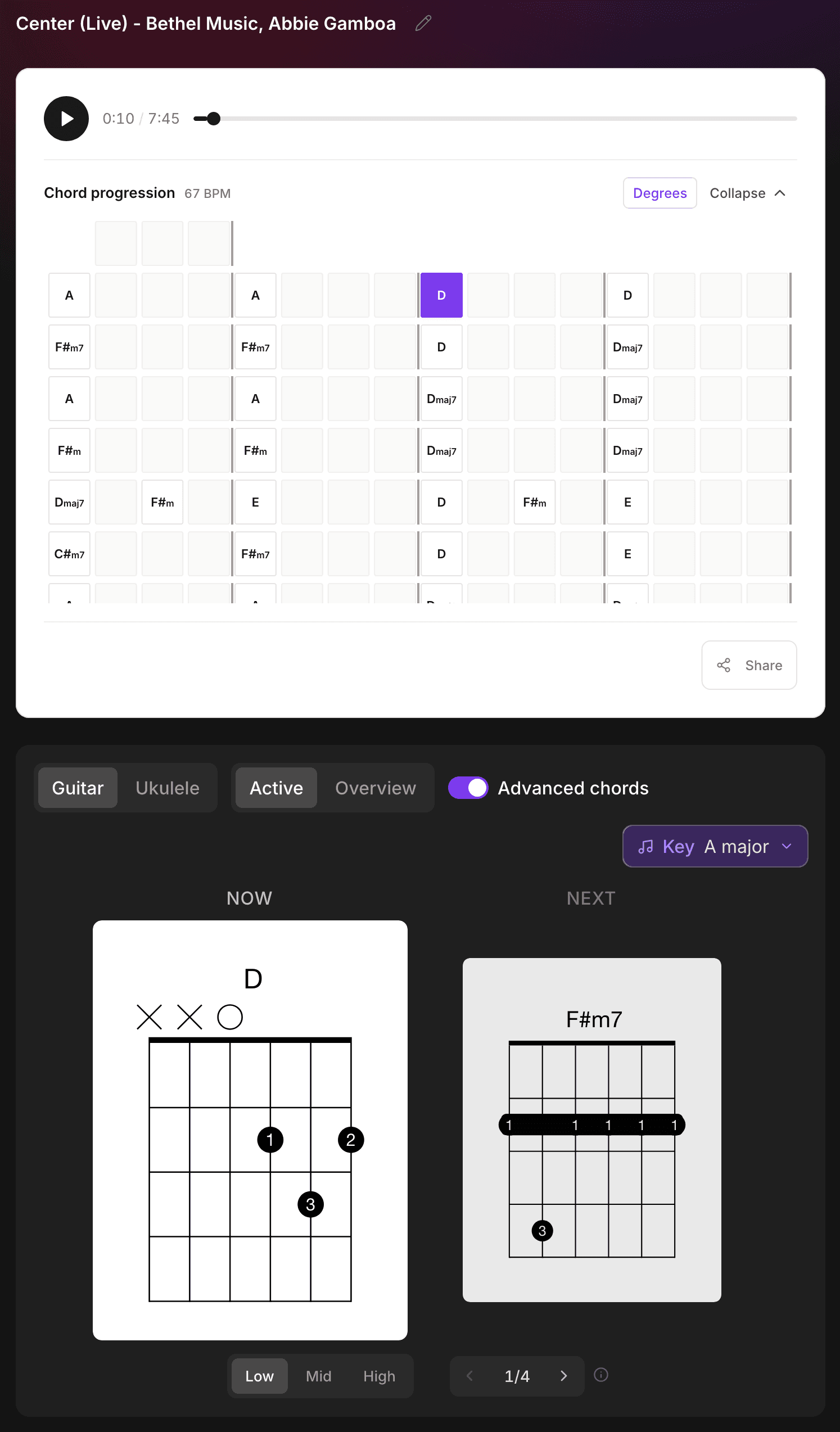
By default you get simplified, beginner-friendly shapes. Turn on Advanced chords and the full harmony it detected — 9ths, 11ths, 13ths, dim, aug, sus — shows up with fingerings to match. The Key menu next to it transposes the whole song, so matching your range or a capo position takes no maths.
Pick a voicing per chord, move a whole section up the neck
One chord has several shapes. The stepper under the diagram walks through them, and the one you pick applies from that occurrence onward; the Low / Mid / High buttons to its left move a whole section into another position in one press. Your arrangement saves itself, and share links carry it. Full details in "Chord Recognition Update: Pick Voicings, Move Up the Neck".
Before uploading someone else's music, make sure you own or have obtained the legal right to use the audio.
How it works: three steps
Step 1: Upload a song or paste a link
Two ways, your choice: drag a song file onto the Chord Recognition page (or click to browse), or just paste a YouTube link. Files support MP3, WAV, FLAC, OGG, AAC, M4A, OPUS, WebM, up to 100 MB each, with an audio length limit of 20 minutes.
Step 2: Wait for recognition
Once uploaded, the AI analyzes and recognizes the full chord progression — usually 1 to 2 minutes, depending on the length of the audio.
Step 3: Play along as you listen
When it's done, you land on the result page. Hit play and you'll see a "Now / Next" dual-card display — which chord to hold now, and what's coming next, cued in real time with the music. Switch the fingering diagrams between guitar and ukulele, and toggle from the Active view (following the song) to the All view (every shape the song uses, at once).
Below that is the full chord progression chart: laid out bar by bar, four bars to a line with the bar lines drawn, so it reads like a chart. Click any cell to jump to that point in the song; silent stretches are marked with "—". Expand it in one click to take in the whole structure.
Supported formats and specs
Item | Spec |
|---|---|
Input | Upload an audio file, or paste a YouTube link |
Formats | MP3, WAV, FLAC, OGG, AAC, M4A, OPUS, WebM |
Max file size | 100 MB |
Max audio length | 20 minutes |
Fingering instruments | Guitar, ukulele (switchable by tab) |
View modes | Active (follows the music) / All (whole song at a glance) |
Processing time | About 1–2 minutes |
Fingering control | Switch the voicing per chord; Low / Mid / High moves a whole section up the neck, saved automatically |
Is Chord Recognition free?
Free to try. Sign up, upload a song, and recognize its chords straight from the audio. The free plan includes a monthly trial allowance shared with AI Music Generation and Stem Separation — one account, a few tools to split your allowance across however you like.
If you transcribe often or want to run through a whole playlist in one go, you can upgrade later: Starter (NT$79/mo) and Creator (NT$199/mo) offer higher monthly allowances.
One account, and chords are just the start
Got your chords — now what? In the same Muse Forge account, you can use Stem Separation to mute the vocals and play along to a clean backing track, or turn the same song into a playable piano version with PopPianoAI — which is completely free. No moving files between tools, no switching accounts. That's what Muse Forge is for: the best tools shouldn't get in the way of creating.
Ten minutes before rehearsal works too: the Muse Forge app is out — upload a song or paste a YouTube link on your phone and read the fingerings right there.
Drop in that song you've always wanted to play but could never find a chart for — and in a few minutes, the whole progression is right in front of you.
FAQ
Can Chord Recognition detect the chords for a whole song?
Yes. The AI analyzes the entire song, marks the chord progression from start to finish, and adds a guitar and ukulele fingering for each chord. Silent passages are marked with "—".
What file formats does Chord Recognition support? Is there an audio length limit?
It supports MP3, WAV, FLAC, OGG, AAC, M4A, OPUS, WebM, up to 100 MB per file, with an audio length limit of 20 minutes. You can also paste a YouTube link.
How long does Chord Recognition take?
Usually 1 to 2 minutes, depending on the length of the audio.
Can I use it without reading music or knowing theory?
Yes. It shows guitar and ukulele fingering diagrams — which frets, which strings, drawn out clearly, so you don't need any theory. The "Now / Next" dual cards cue you along with the music — just match the shape and change chords in time.
Is Chord Recognition free?
Free to try. Sign up and upload to recognize chords; the free plan includes a monthly allowance shared with the other tools. If you use it often or need to process a lot of songs, upgrade for a higher monthly allowance.
Can I choose the chord fingering myself?
Yes. A stepper under each diagram moves between shapes — most common chords have three or four — and the one you pick applies from that occurrence onward. Low / Mid / High moves a whole section into another position, and your changes save automatically.