Change the Key of Any Song Online, Vocals Included
6 min read

You finally pick that song at karaoke, and the chorus is just out of reach. So you find a backing track and drop it two keys. Now it sounds muffled, and the singer sounds off.
Muse Forge can now change the key for you.
What is Muse Forge Key Changer? An online tool that moves a whole song up or down. Upload a song or paste a YouTube link, pick how many semitones (up to 12), and the vocals and backing move together, so it sounds like the original singer in the new key. Every key you make is kept, ready to switch to.
What can you do with the Key Changer?
In short: move a song into a key you can sing, or one that's easy to play.
- Karaoke and practice: find a key you can sing without straining, then practice along.
- Worship teams and bands: fit a whole song to the lead singer's range and hear it before rehearsal.
- Instrumentalists: move a song into a key that's easier to play or suits your instrument.
- Voice teachers: prepare demos in each student's range.
How do you change the key of a song? Three steps
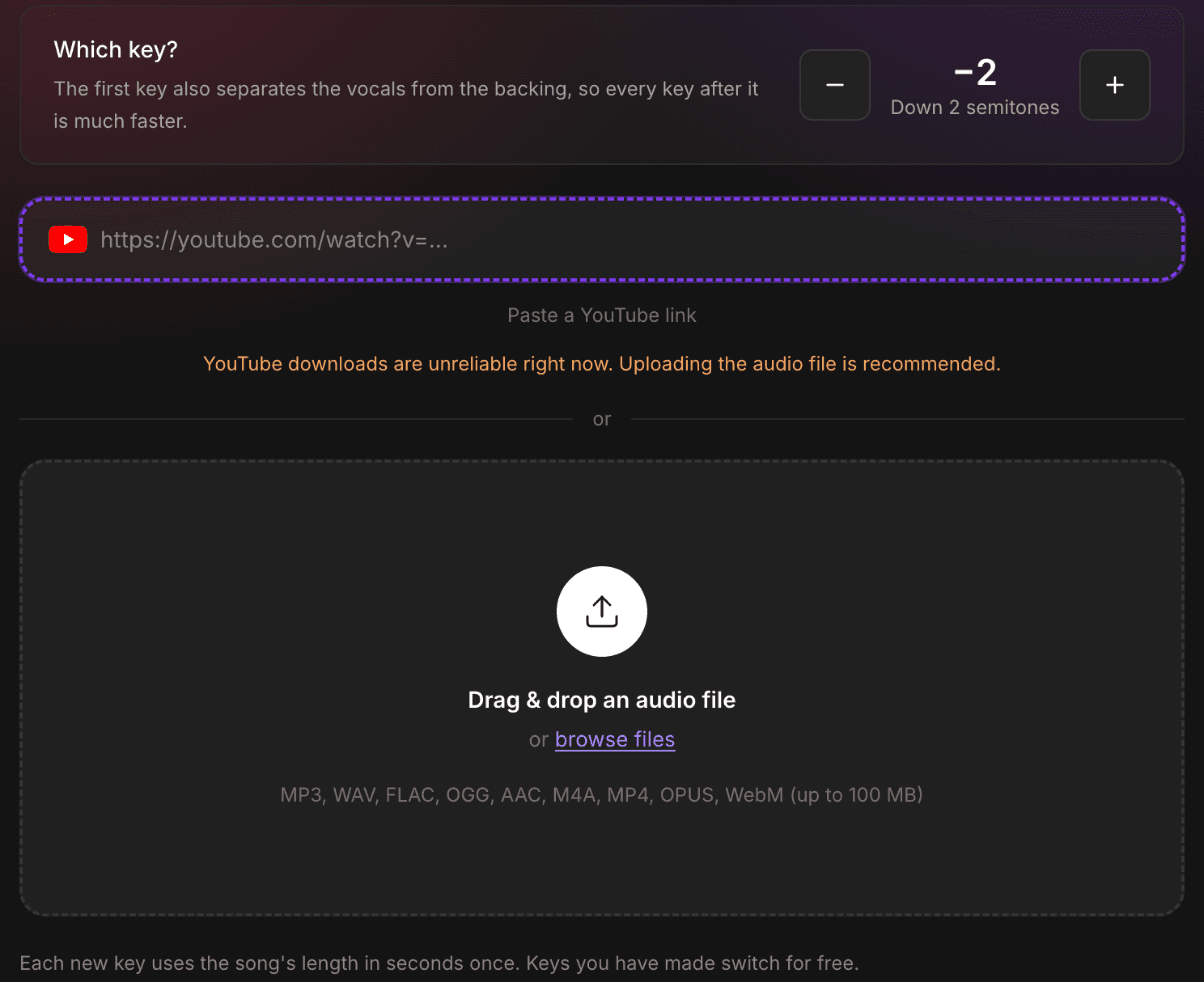
1. Upload a song
Drop in an audio file or paste a YouTube video link. MP3, WAV, FLAC, OGG, AAC, M4A, MP4, OPUS, and WebM all work, up to 100 MB and 10 minutes per song.
YouTube downloads can be unreliable, so if you have the file, uploading it is quickest. A song you've already run through stem separation in Muse Forge has a "Change key" button on its result page, no re-upload needed.
2. Pick a key
Use − and + to choose how many semitones to go up or down, as far as 12 either way, a full octave.
Not sure where to start? If the song is a little too high, dropping 2 semitones already makes a big difference.
The first key usually takes 4 to 7 minutes, depending on the song's length. You can go do something else; you'll be notified when it's done.
3. Listen, compare, download
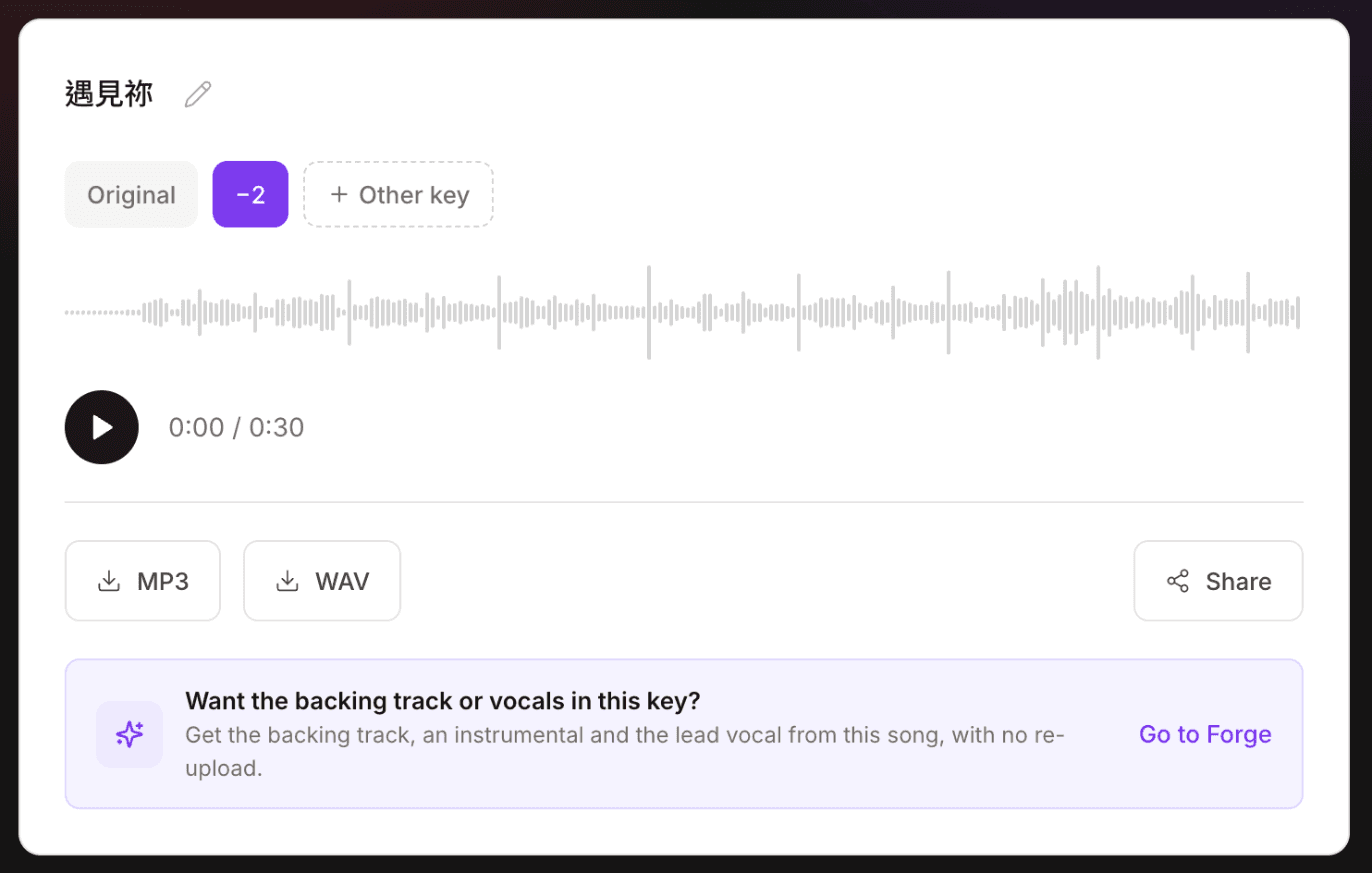
Once it's ready, switch between the original and your new key as it plays. Want to try another? Add it with one tap. Each new key takes about 2 minutes, and you can keep listening to the finished ones while you wait.
Volume is matched as you switch, so one version never jumps out louder than another. The only difference you hear is the pitch.
When you've found the one, download the full song. Every plan can download MP3; paid plans can also download WAV.
Why use Muse Forge to change a song's key?
Still sounds like the singer
With many key changers, a new key turns the voice chipmunk-squeaky or slow-tape muffled. In Muse Forge, the new key still sounds like the original singer, lead and harmonies both.
Backing that keeps its feel
The drums don't change pitch. Even a big shift up or down leaves the backing full, so the song still sounds like itself.
When the vocals move a long way (say, up 7 semitones), moving the backing the same distance would push the bass somewhere strange. So Muse Forge shifts the backing the other way instead, landing an octave apart (down 5 semitones). The notes and the key are the same; the bass just stays in a natural range. The result page shows how far the vocals and the backing each moved.
Keys stay with the song
Every key you make for a song is kept. Switching to one you've already made costs no seconds, so you can line up the original, −2, and +1 and go back and forth until one feels right.
Need a backing track? Hand it to Forge
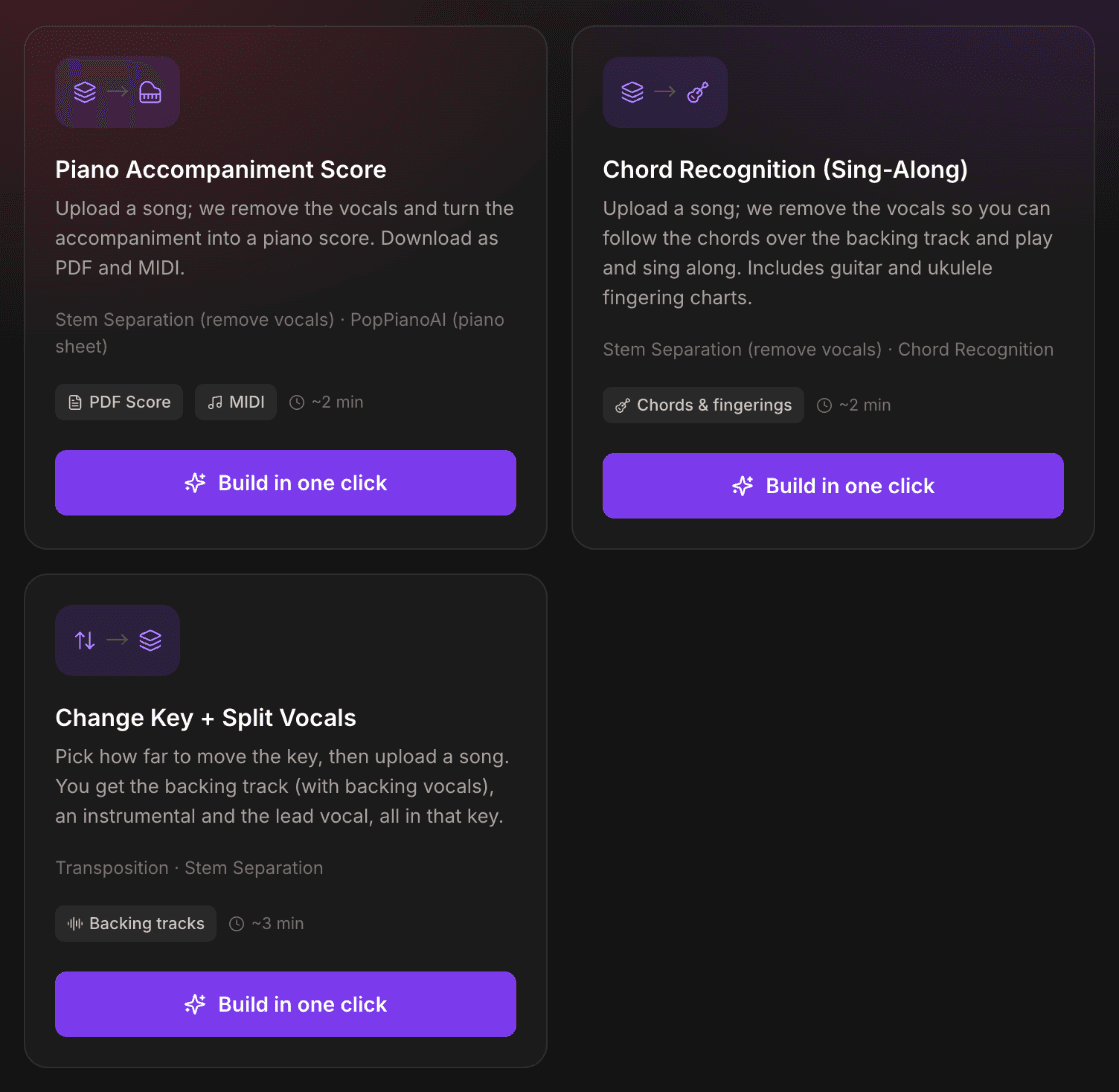
Below the result there's "Want the backing track or vocals in this key?". It takes the song straight to the Change Key + Split Vocals template in Forge, no re-upload. You get three files in the same key:
File | What's in it | Good for |
|---|---|---|
Backing track | Lead vocal removed, backing vocals kept | Singing the melody yourself, karaoke-style |
Instrumental | Instruments only | Recording a cover over a clean track |
Lead vocal | The lead singer only | Practicing along and learning the phrasing |
You can also start in Forge: pick how far to move the key first, then upload the song.
Share it with your band
Every Key Changer song can be shared. Whoever opens the link can switch between all the keys you've made, which is handy for letting a band or students hear the new key before rehearsal.
How is this different from the Key menu in chord recognition?
The "Key" menu in chord recognition changes the chords and fingering charts on screen. The music itself stays the same. It's for "I know what key I'm playing in; show me the chords."
The Key Changer changes the sound. The whole song really moves, and what you hear and download is the new key.
They work well together: use the Key Changer to find a key you can sing, then set chord recognition to the same key, pick up a guitar, and sing along.
How are seconds counted? Is it free?
Yes, sign in and you can try it on the free plan.
- Each new key uses the song's length in seconds once. Switching to a key you've already made is free.
- Seconds come from the monthly allowance shared with music generation, stem separation, and chord recognition.
- With Forge's Change Key + Split Vocals, the key change and the stem separation each use the song's length once. If the song already has that key, the key change step isn't charged again.
See all plans on the pricing page.
Before you upload someone else's music, make sure you own or have the rights to use it.
Frequently asked questions
How far can I shift a song?
Up or down by 1 to 12 semitones, a full octave either way.
What formats can I upload? Can I paste a YouTube link?
MP3, WAV, FLAC, OGG, AAC, M4A, MP4, OPUS, and WebM, up to 100 MB and 10 minutes per song. You can also paste a YouTube video link. YouTube downloads can be unreliable, so if you have the file, uploading it is the safest bet.
How long does a key change take?
The first key usually takes 4 to 7 minutes, depending on the song's length. Each new key after that takes about 2 minutes, and you can listen to the finished keys while you wait.
How is this different from other key changers?
With most key changers the voice turns squeaky or muffled in a new key, and the drums shift too. In Muse Forge the new key still sounds like the original singer, the drums stay as they are, and every key you make is kept for switching. The trade-off: each key takes about 2 minutes to make, so it isn't instant.
Why did the backing move a different number of semitones than the vocals?
When the vocals move a long way, moving the backing the same distance would leave the bass too high or too low. So the backing moves an octave the other way instead. The notes and the key match the vocals; the bass just stays in a natural range. The result page shows how far each one moved.
Can I download just the backing track?
The Key Changer page downloads the full song. For the backing track, an instrumental, or the lead vocal, use Forge's Change Key + Split Vocals template to get all three in the same key.
How are seconds counted?
Each new key uses the song's length once from the monthly seconds shared with music generation, stem separation, and chord recognition. Switching to a key you've already made is free.
Can I use the tracks commercially?
Commercial use requires a paid plan. The free plan exports MP3 for personal, non-commercial use only.
Got a song you can never quite reach? Move it into your key.